Sensoren
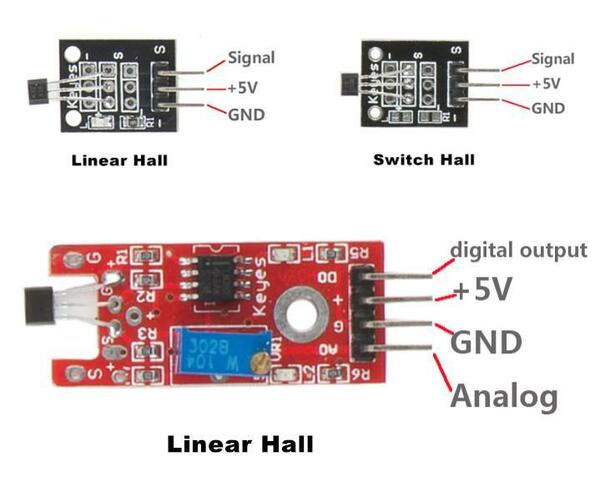
Linear Hall
Linear Hall Example SETUP
int sensorPin = A5;    // select the input pin for the potentiometer
int ledPin = 13;      // select the pin for the LED
int sensorValue = 0;  // variable to store the value coming from the sensor

void setup() {
 pinMode(ledPin, OUTPUT);
  Serial.begin(9600);
}
Linear Hall Example LOOP
void loop()
{
  sensorValue = analogRead(sensorPin);
  digitalWrite(ledPin, HIGH);
  delay(sensorValue);
  digitalWrite(ledPin, LOW);
  delay(sensorValue);
  Serial.println(sensorValue, DEC);
}
RGB LED
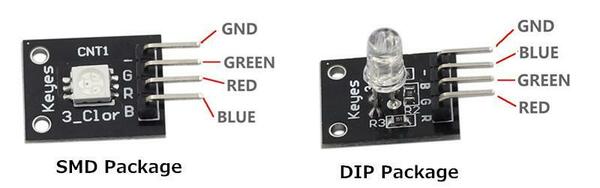
RGB LED Example
const int redPin = 11;  // R petal on RGB LED module connected to digital pin 11
const int greenPin = 10;  // G petal on RGB LED module connected to digital pin 9
const int bluePin = 9;  // B petal on RGB LED module connected to digital pin 10
/**************************************************************************/
void setup()
{
         pinMode(redPin, OUTPUT); // sets the redPin to be an output
         pinMode(greenPin, OUTPUT); // sets the greenPin to be an output
         pinMode(bluePin, OUTPUT); // sets the bluePin to be an output
}
RGB LED Example
void loop()  // run over and over again
{
          // Basic colors:
          color(255, 0, 0); // turn the RGB LED red
          delay(1000); // delay for 1 second
          color(0,255, 0); // turn the RGB LED green
          delay(1000); // delay for 1 second
          color(0, 0, 255); // turn the RGB LED blue
          delay(1000); // delay for 1 second
          // Example blended colors:
          color(255,0,0); // turn the RGB LED red
          delay(1000); // delay for 1 second
          color(237,109,0); // turn the RGB LED orange
          delay(1000); // delay for 1 second
          color(255,215,0); // turn the RGB LED yellow
          delay(1000); // delay for 1 second
          color(0,255,0); // turn the RGB LED green
          delay(1000); // delay for 1 second
RGB LED Example
  color(0,0,255); // turn the RGB LED blue
          delay(1000); // delay for 1 second
          color(0,46,90); // turn the RGB LED  indigo
          delay(1000); // delay for 1 second
          color(128,0,128); // turn the RGB LED purple
          delay(1000); // delay for 1 second
}
/******************************************************/
void color (unsigned char red, unsigned char green, unsigned char blue)     // the color generating function
{
          analogWrite(redPin, red);
          analogWrite(bluePin, blue);
          analogWrite(greenPin, green);
}
SCHOCK SWITCH
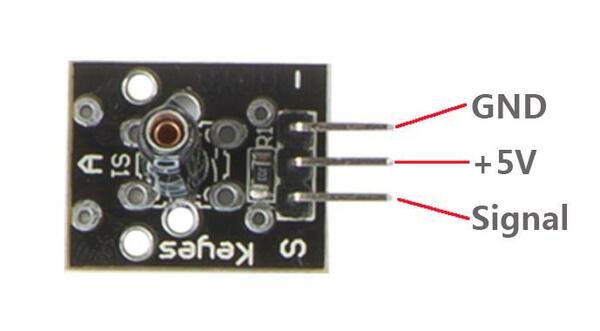
SCHOCK-SWITCH-Example
const int vibswPin = 8; //the Vibration Switch attach to
const int ledPin = 13; //the led attach to
int val = 0; //initialize the variable val as 0
/******************************************/
void setup()
{
  pinMode(vibswPin,INPUT); //initialize vibration switch as an input
  pinMode(ledPin,OUTPUT); //initialize ledPin switch as an output
}
/*******************************************/
SCHOCK-SWITCH-Example
void loop()
{
  val = digitalRead(vibswPin); //read the value from vibration switch
  if(val == HIGH)  //without vibration signal
  {
    digitalWrite(ledPin,LOW); //turn off the led
  }
  else
  {
    digitalWrite(ledPin,HIGH); //turn on the led
  }
}
KNOCK SENSOR
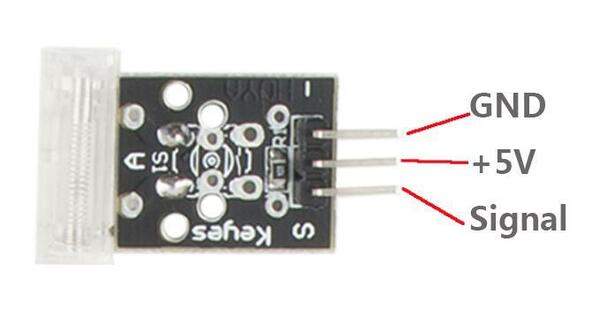
Infrared Transmitter
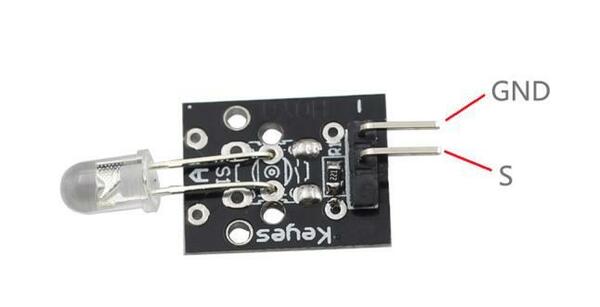
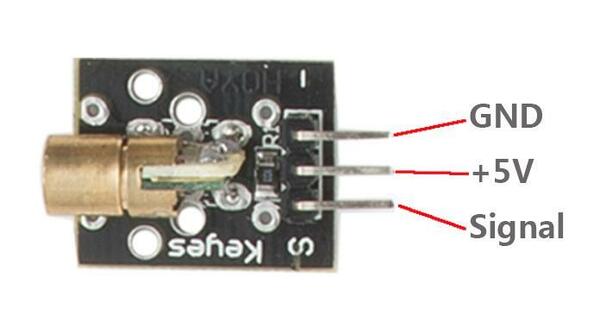
Laser Transmitter
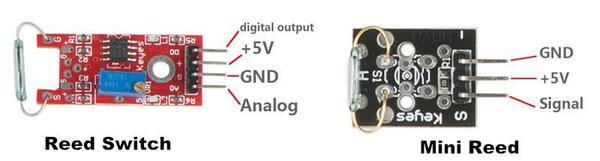
Reed Switch
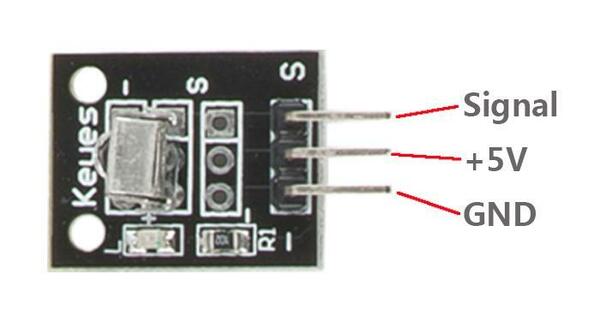
Infrared Receiver
Active Buzzer
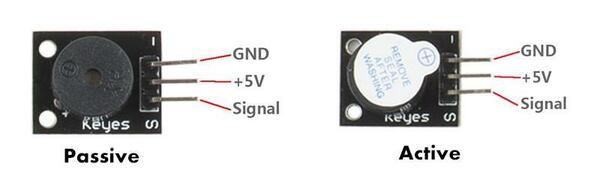
Buzzer Example
int buzzer = 11;//the pin of the active buzzer
void setup()
{
 pinMode(buzzer,OUTPUT);//initialize the buzzer pin as an output
}
void loop()
{
 unsigned char i,j;
 while(1)
 {
   //output an frequency
   for(i=0;i<80;i++)
   {
    digitalWrite(buzzer,HIGH);
    delay(1);//wait for 1ms
    digitalWrite(buzzer,LOW);
Buzzer Example
    delay(1);//wait for 1ms
    }
    //output another frequency
     for(i=0;i<100;i++)
      {
        digitalWrite(buzzer,HIGH);
        delay(2);//wait for 2ms
        digitalWrite(buzzer,LOW);
        delay(2);//wait for 2ms
      }
  }
}
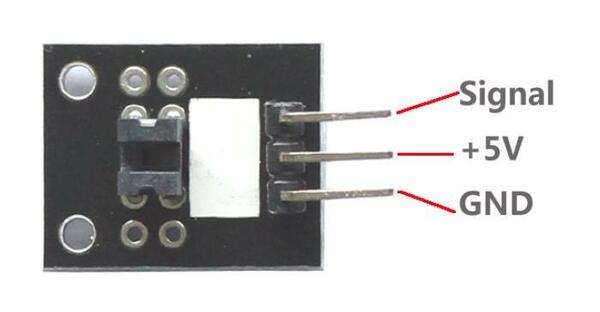
Photo Interrupter
DS18B20 Temperature Sensor
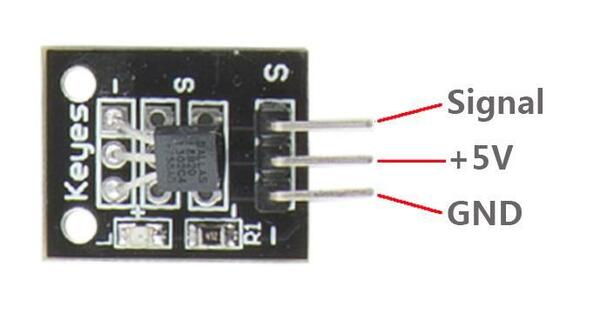
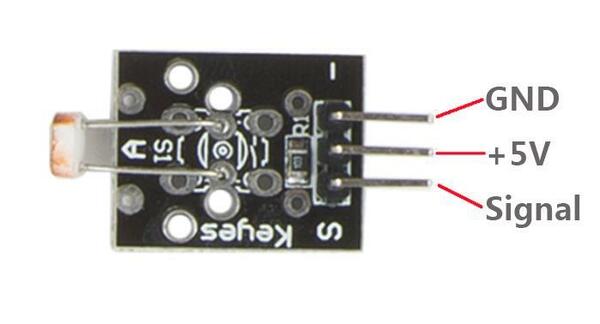
Photo Resistor
DHT11
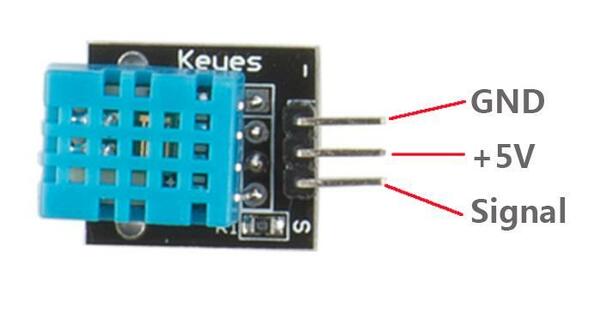
DHT11 Example
#include <dht.h> // library needed
#include <LiquidCrystal.h>
LiquidCrystal lcd(5, 6, 9, 10, 11, 12);

dht DHT;

#define DHT11_PIN 4

void setup()
{
  lcd.begin(16, 2);
  Serial.begin(9600);
}
DHT11 Example
void loop()
{
  // READ DATA
  Serial.print("DHT11, \t");
  //read the value returned from sensor
  int chk = DHT.read11(DHT11_PIN);
  switch (chk)
  {
    case DHTLIB_OK:
                Serial.print("OK,\t");
                break;
    case DHTLIB_ERROR_CHECKSUM:
                Serial.print("Checksum error,\t");
                break;
    case DHTLIB_ERROR_TIMEOUT:
                Serial.print("Time out error,\t");
                break;
DHT11 Example
    default:
                Serial.print("Unknown error,\t");
                break;
  }
 // DISPLAY DATA
 lcd.setCursor(0, 0);
 lcd.print("Tem:");
 lcd.print(DHT.temperature,1); //print the temperature on lcd
 lcd.print(" C");
 lcd.setCursor(0, 1);
 lcd.print("Hum:");
 lcd.print(DHT.humidity,1); //print the humidity on lcd
 lcd.print(" %");
 delay(200); //wait a while
}
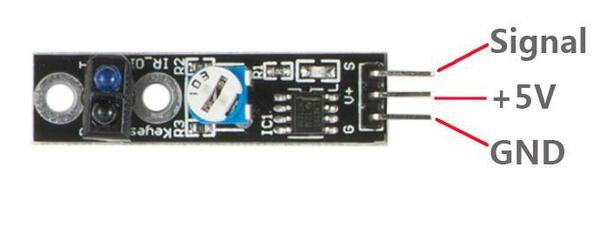
Tracking Sensor
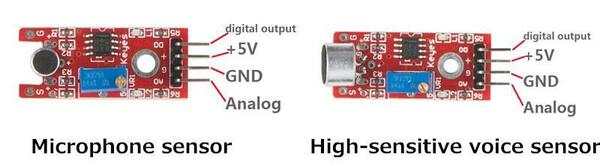
Microphone Sensor
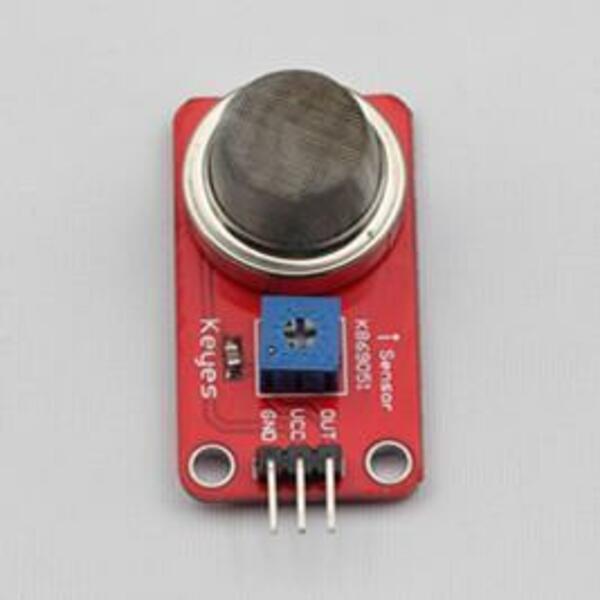
Gas Sensor
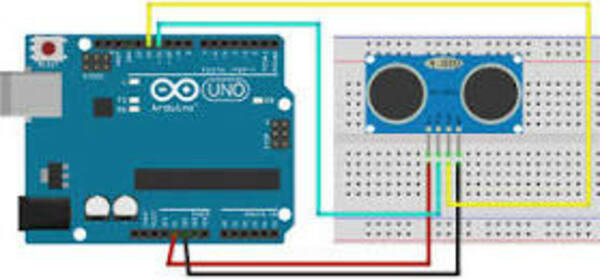
Ultrasonic
pressure-sensor
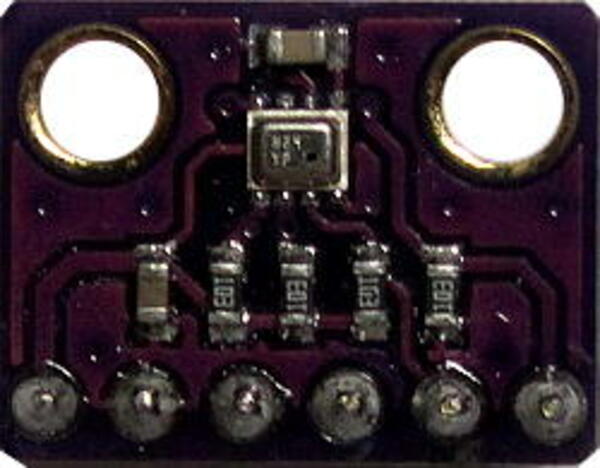
**BMP280
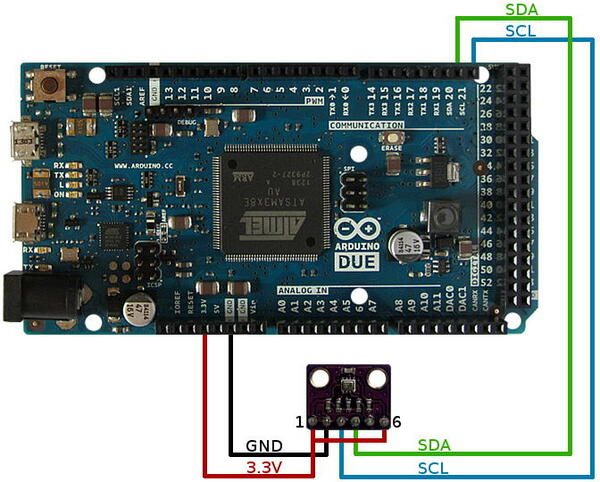
I2C and BMP280(2019-11-12)
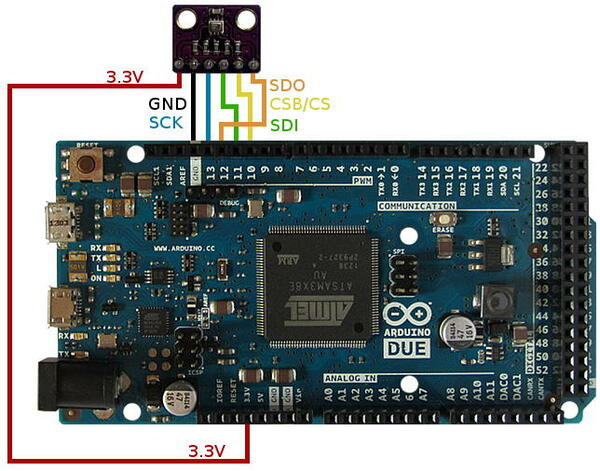
SPI and BMP280(2019-11-12)
ONE WIRE and DS1820(2019-11-12)

I2C(2019-11-12)
Inter-Integrated Circuit
2C is a serial protocol for two-wire interface to connect low-speed devices like microcontrollers, EEPROMs, A/D and D/A converters, I/O interfaces and other similar peripherals in embedded systems. It was invented by Philips and now it is used by almost all major IC manufacturers.
SPI(2019-11-12)
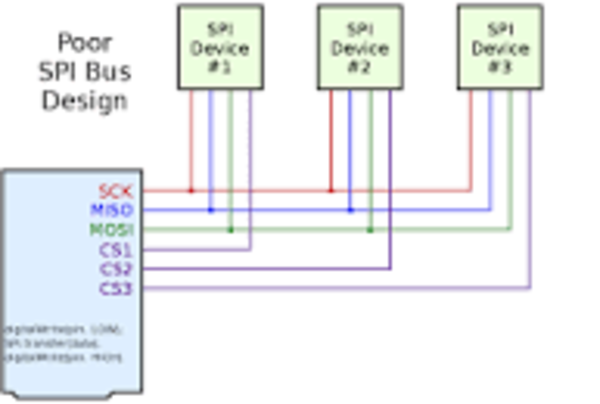
The Serial Peripheral Interface (SPI) is a synchronous serial communication interface specification used for short-distance communication, primarily in embedded systems.
One Wire(2019-11-12)
1-Wire is a device communications bus system designed by Dallas Semiconductor Corp. that provides low-speed (16.3 kbps[1]) data, signaling, and power over a single conductor.
1-Wire is similar in concept to I²C, but with lower data rates and longer range. It is typically used to communicate with small inexpensive devices such as digital thermometers and weather instruments. A network of 1-Wire devices with an associated master device is called a MicroLAN.
device communications bus system
Device communication busses will be used, if you will connect many sensors directly to the microcontroller like arduino.